You Need Help ? Contact Us
Email:- [email protected] Timing:-9AM - 5PM, Everyday
Help & FAQ | Employer How to get registered
› How to get registered in NaukriApp?
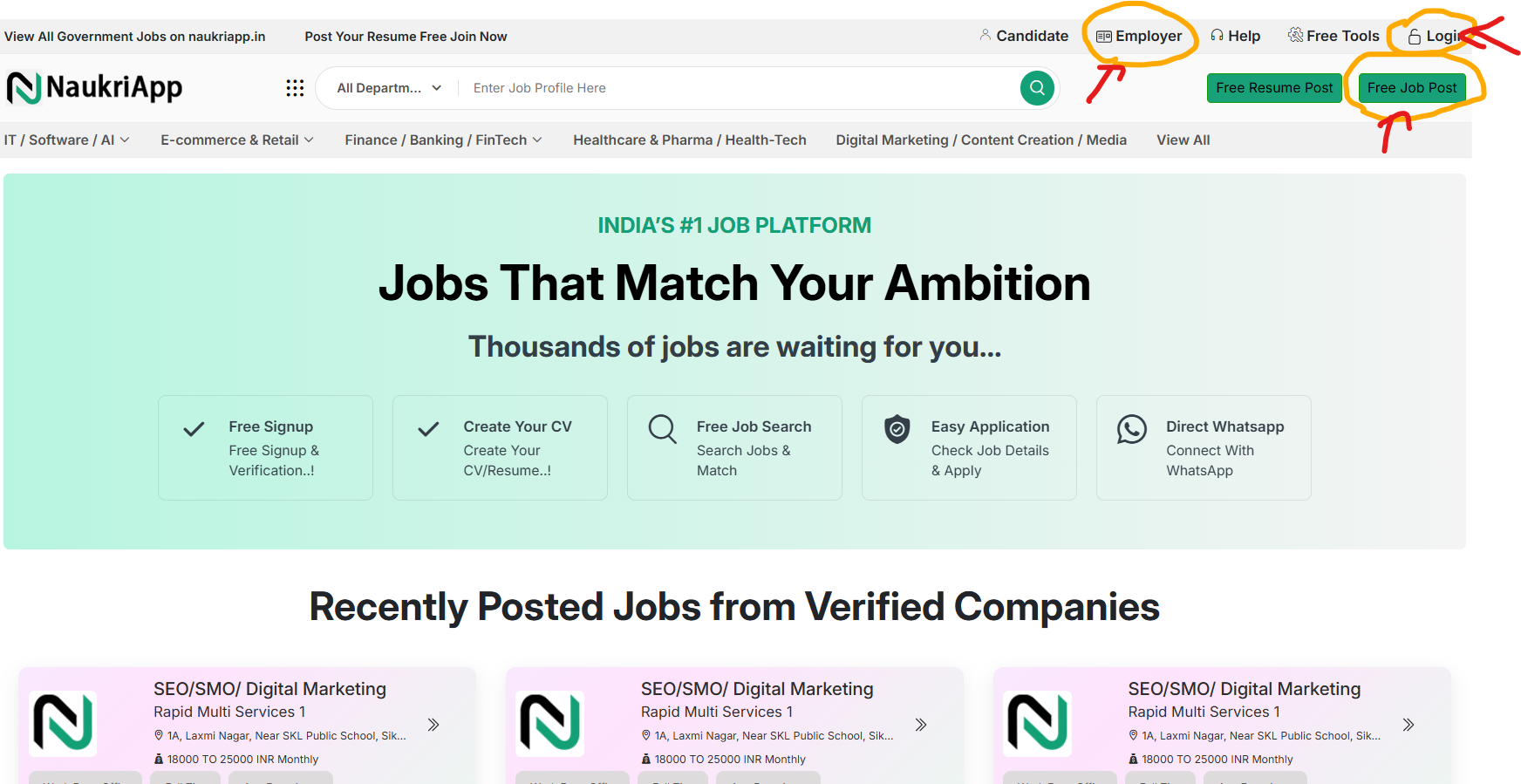
You can get registered in naukriapp by creating your company profile on our Portal Here is a reference guide to help you with getting underway in naukriapp To create your company profile click Employer/Login/Free job post button from home page as shown in screenshot!
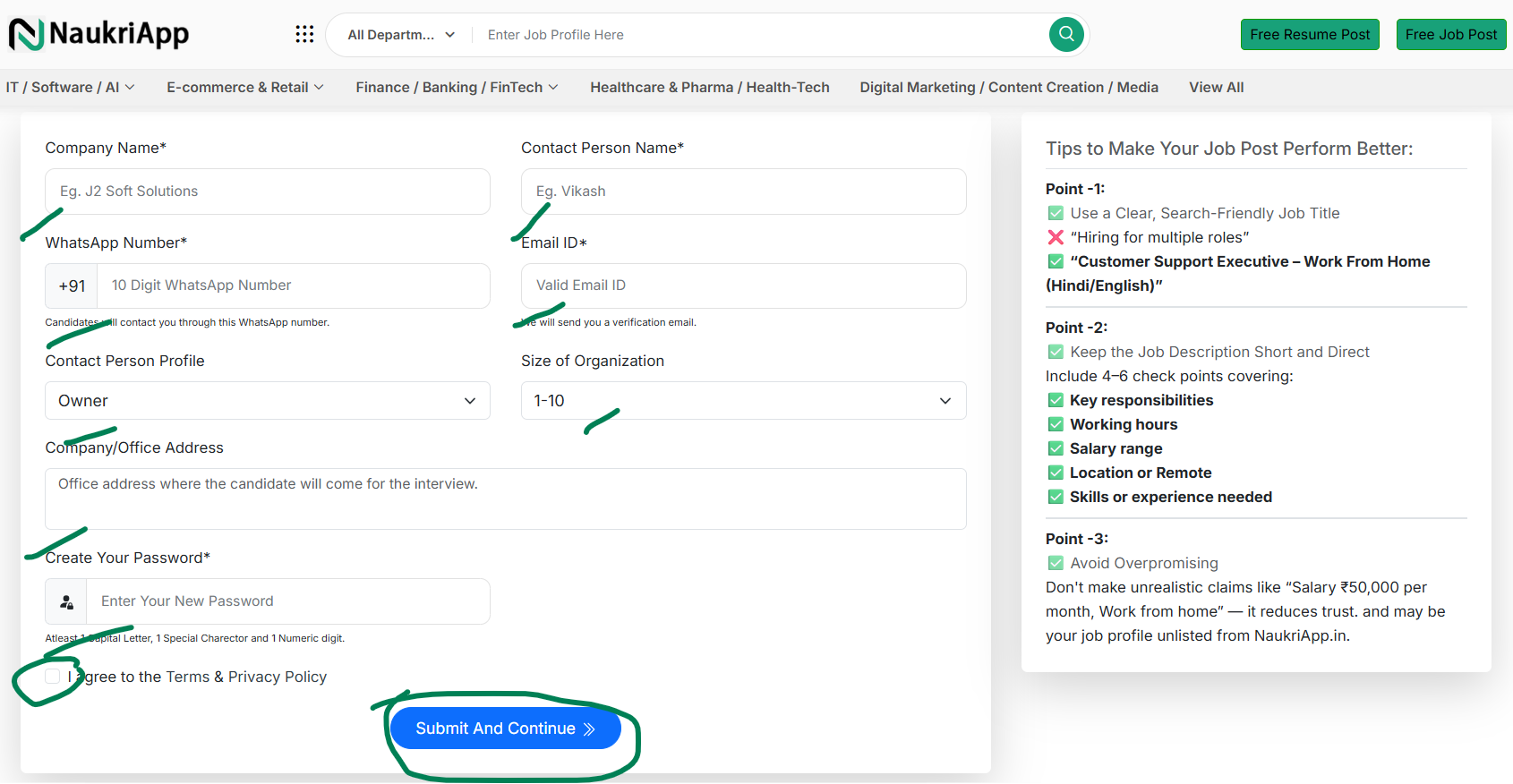
Please fill out a simple form with details such as company name, contact person, WhatsApp number, email ID, contact person’s profile, company size, and address. Completing the form will take less than one minute.
Note:Please ensure that you provide accurate details, as our team will reach out to you for verification.
Once you have successfully registered, you will be logged in automatically, and the system will redirect you to your dashboard profile page.
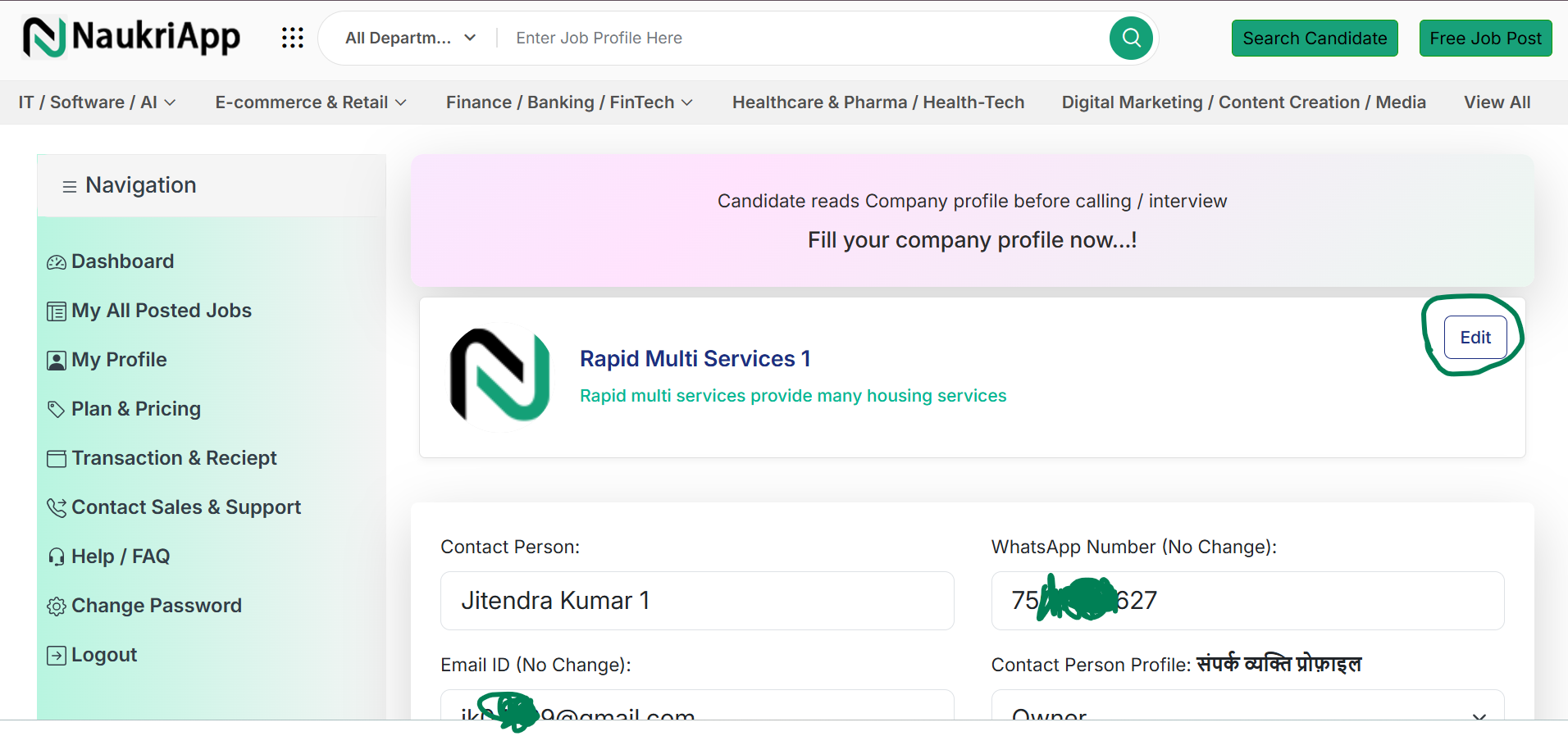
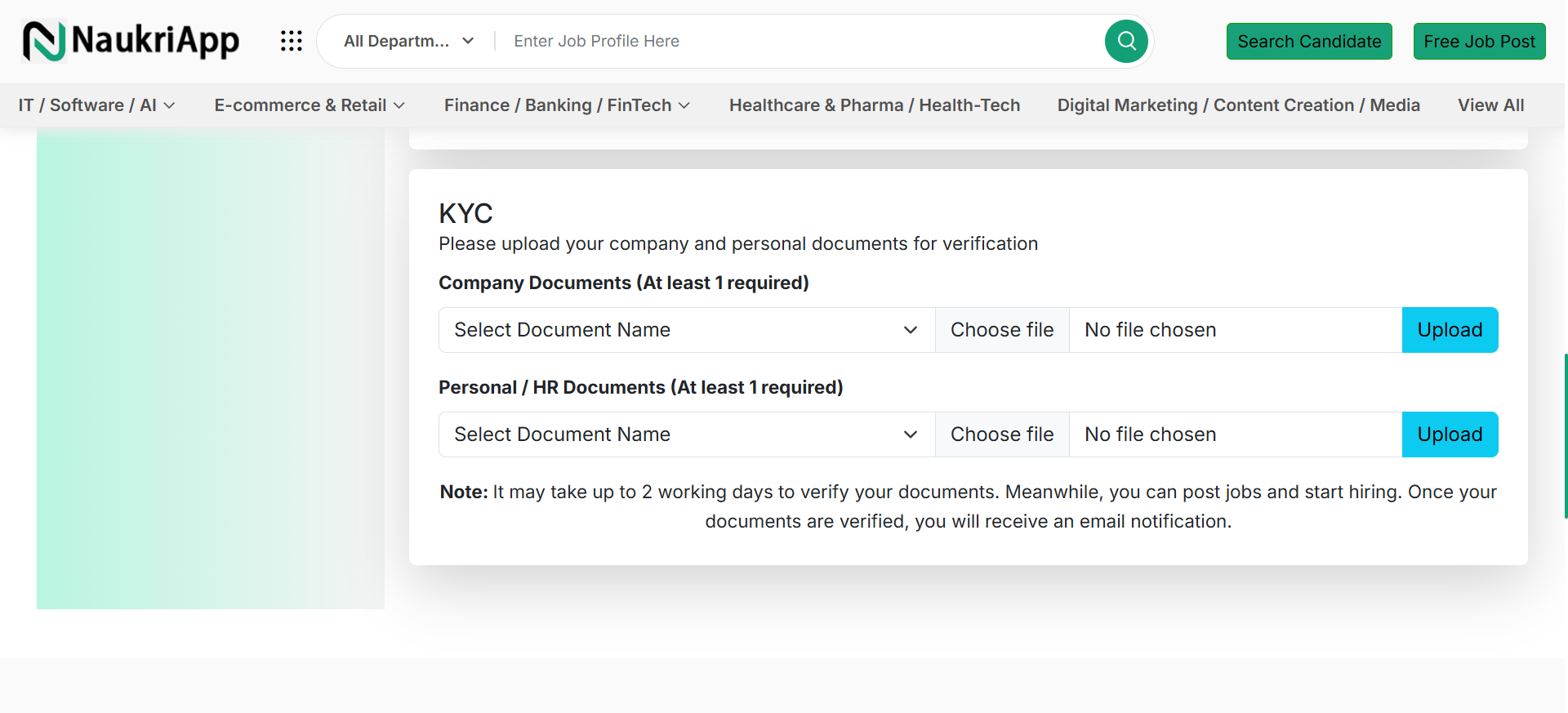
After accessing your profile in the employer dashboard, please ensure that your company’s basic information is complete. NaukriApp reviews every company profile, and if any information is missing or incomplete, your profile may not be verified.
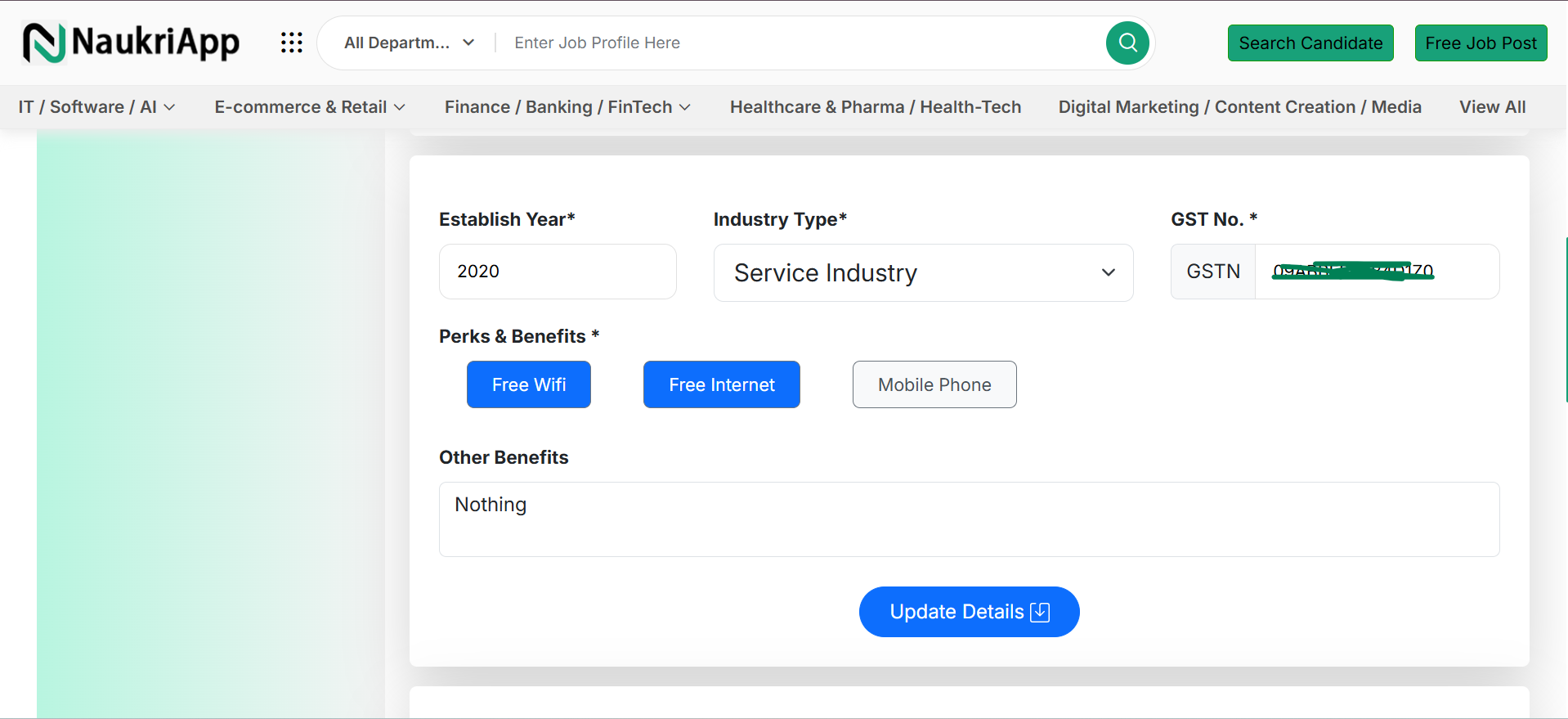
Without updating your KYC details, you will be restricted to posting only one job on NaukriApp.in. To unlock full access, please verify your company profile.